



Maytag Wall Oven Controls Unresponsive, Buttons Not Working, or Display Blank? Control Panel W11097365 – Fix Control Failures Fast
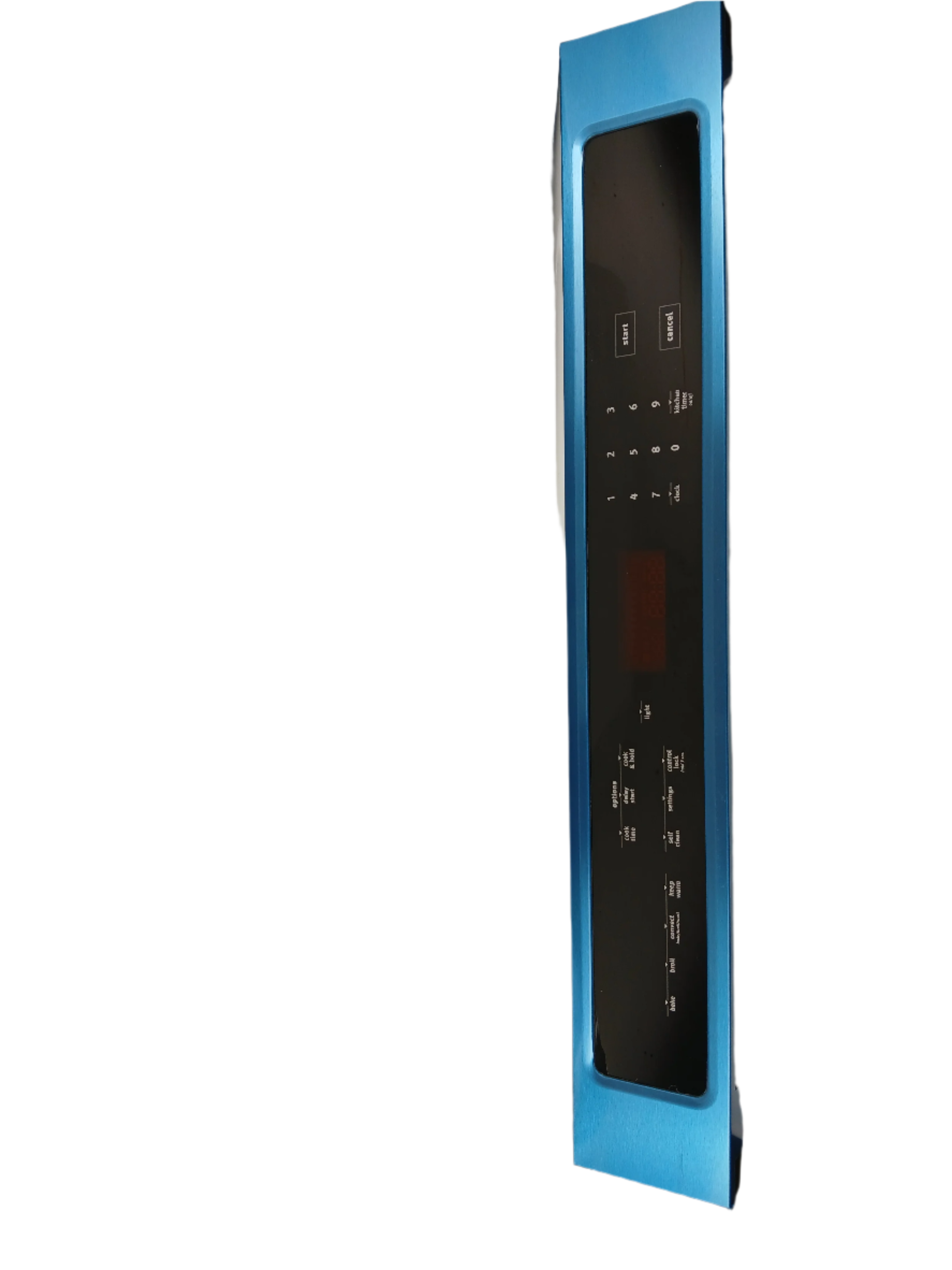
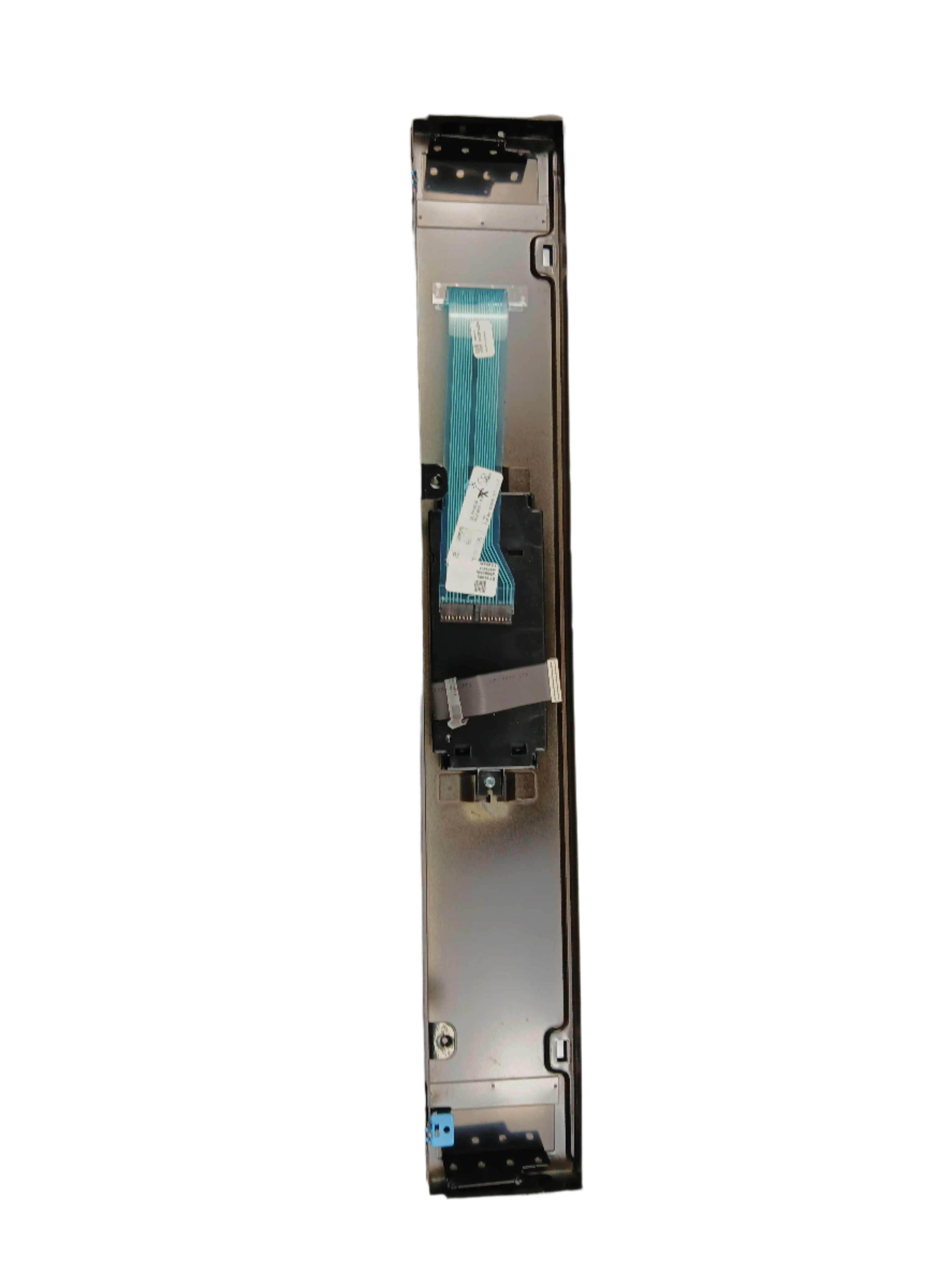
A failed control panel is the most common cause of a Maytag wall oven with unresponsive buttons, a blank or flickering display, or controls that no longer respond correctly to input. In most Maytag wall ovens, the control panel is the user interface assembly that houses the touchpad, display, and button membrane — it communicates directly with the control board to set temperature, select cook modes, and manage timers. When the panel fails due to membrane wear, moisture intrusion, or electrical damage, buttons stop registering, the display goes blank or shows garbled characters, and the oven becomes unusable. ⚡ Common failure point in Maytag wall ovens after years of daily use and heat exposure. Part W11097365 is the genuine OEM replacement (supersedes W10877209) that restores full oven control panel operation immediately — no modification required.
❓ Is This the Right Part?
This is the correct fix if ALL of the following are true:
- ✔ Oven is receiving power — circuit breaker confirmed on and outlet delivering correct voltage
- ✔ Control board confirmed functional — oven responds to some inputs or error codes are present
- ✔ Wiring harness ribbon cable between panel and board confirmed intact
- ✔ Oven heats correctly when a cycle can be initiated
- ✔ ONLY problem is buttons not responding, display blank or garbled, or specific keys not registering
Not sure? Send us your model number — we'll confirm before you order.
🔧 Common Symptoms
- Oven buttons not responding or requiring multiple presses to register — most common customer complaint
- Display completely blank or showing garbled characters
- Specific keys (Start, Bake, Broil) not working while others function
- Display flickering or dimming intermittently
- Oven beeps but does not respond to button input
- Control panel feels soft or mushy in certain areas due to membrane wear
✔ If these symptoms match and the control board has been ruled out, this is the most likely failed component.
✔ In most cases, replacing this control panel restores full oven control immediately.
📦 Part Details
- Part Number: W11097365
- Type: Wall Oven Control Panel Assembly — user interface panel including touchpad membrane, display, and button assembly; approximately 35.38” × 9.50” × 6.00”
- Replaces: OEM direct-fit panel — supersedes W10877209 (no modification required)
- Brands: Maytag
A failed control board can produce identical symptoms to a failed control panel — unresponsive buttons and a blank display. If the oven shows no response at all (no beep, no display, no reaction), test or replace the control board first before committing to a panel replacement, as the board is the more common failure point after power surges.
⚙️ Installation
Skill Level: MODERATE — 30–45 minutes. Disconnect power at the breaker before beginning. The control panel is accessed by removing the trim screws around the oven control console and carefully pulling the panel forward. Disconnect the ribbon cable and any wiring harness connectors from the old panel — photograph all connections before disconnecting. Connect the new panel in the same positions, seat it into the console frame, reinstall the trim screws, restore power, and run a test cycle to confirm all buttons and the display operate correctly.
✓ Compatible Models
Confirmed compatible with MEW9530FZ01, MEW9530FZ02, MEW9530FZ03, MEW9530FZ04. Contact us to verify your model number before ordering.
💡 Pro Tip
The ribbon cable connecting the control panel to the control board is fragile and tears easily if pulled at an angle — always release the locking tab on the connector before pulling the cable, and never force it. A torn ribbon cable requires replacing the entire panel assembly again, so take an extra 30 seconds to do this step correctly.
✅Compatibility & Cross Reference
Not sure about your model number? Call 1-877-899-7278 and we’ll help you confirm. All brand names are the property of their respective owners and are used for compatibility reference only.
Buy Online Pick Up In-Store
Kitchener, Ontario N2E 1W8

- Choosing a selection results in a full page refresh.


