
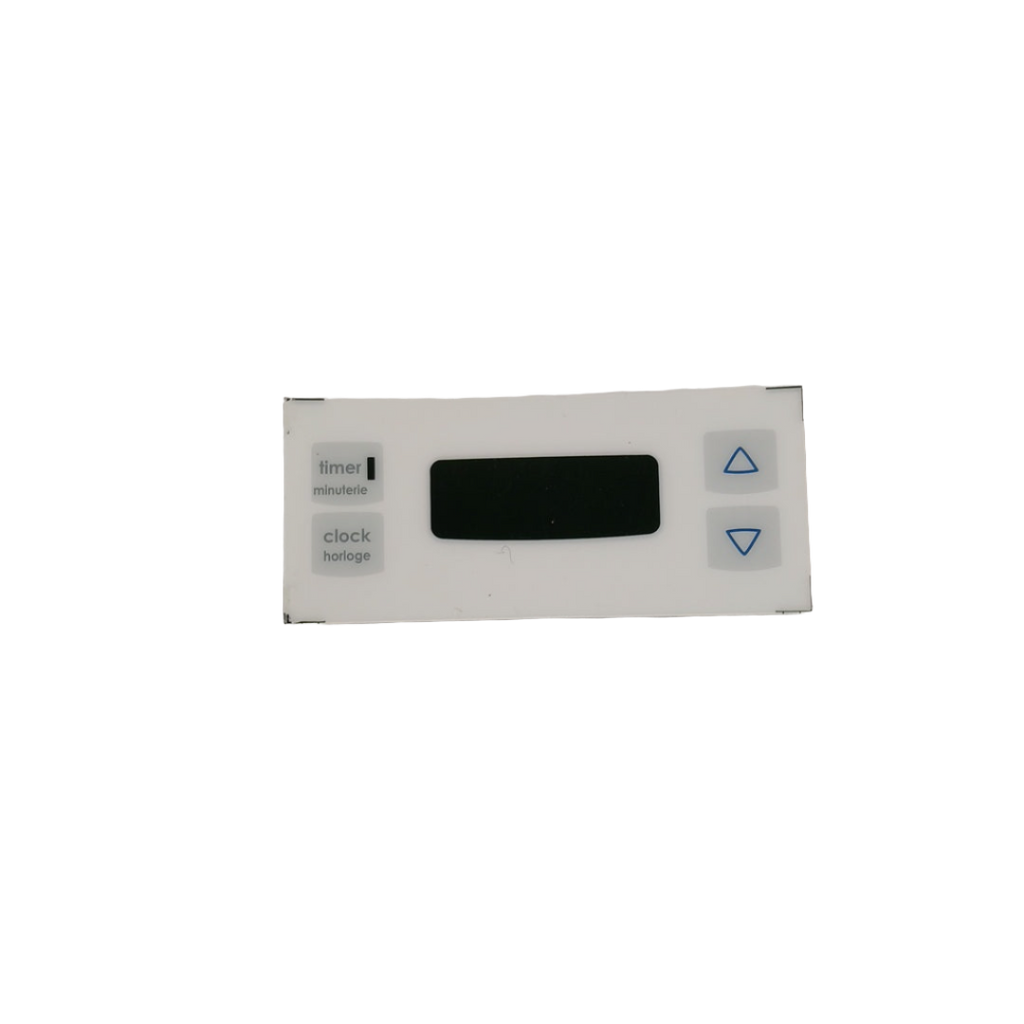
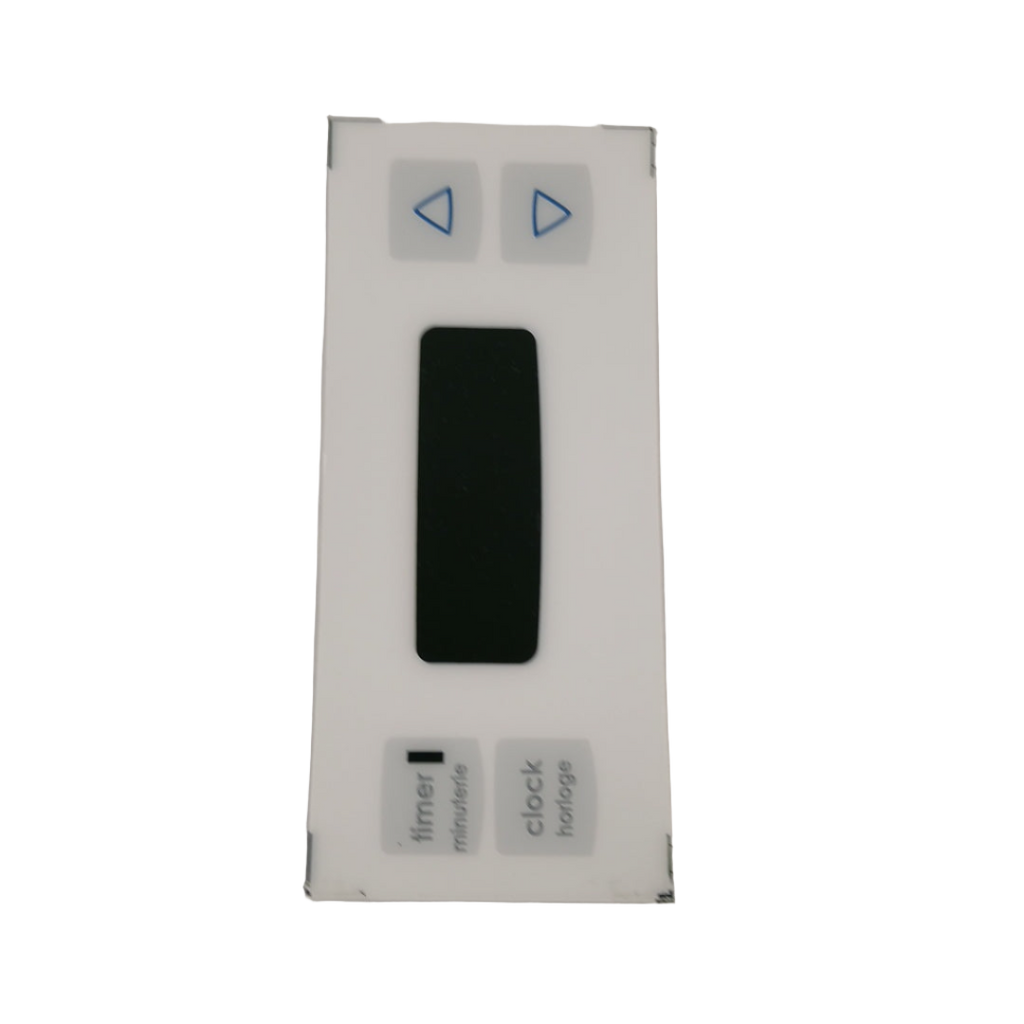
WS01F01950 GE Range Oven Key Panel

WS01F01950 GE Range Oven Key Panel

Price
$23.37

Frequently Bought Together

Stock Notification

Get notified when this product is available again

OEM REPLACEMENT PART

WS01F01950 GE Range Oven Key Panel

Part# WS01F01950 Replaces 183D9359P005 Fits GE Fits Hotpoint

Oven Controls Unresponsive or Buttons Not Working? WS01F01950 Key Panel – Fix Control Failure Fast

If your GE range oven won't respond to button presses, displays incorrect settings, or has keys that are stuck or dead, the key panel is the most likely cause. In most GE MCBS-series range ovens, the key panel is the membrane touchpad that translates button presses into control board commands — when it fails, the oven cannot receive input and becomes uncontrollable. When it fails, buttons stop responding, the display may show errors or freeze, and the oven cannot be programmed or started. ⚡ Key panel failure is the most common cause of unresponsive controls on GE MCBS-series range ovens. Part WS01F01950 is the genuine OEM key panel that restores full button response and normal oven control immediately.

❓ Is This the Right Part?

This is the correct fix if ALL of the following are true:

  • ✔ Oven has power and the display is active
  • ✔ Heating elements and oven functions work when accessible via other means
  • ✔ Control board has been ruled out as the fault (no error codes pointing to board failure)
  • ✔ One or more buttons are dead, sticky, or intermittently unresponsive
  • ✔ ONLY problem is key input failure — not a control board, display, or wiring fault

Not sure? Send us your model number — we'll confirm before you order.

🔧 Common Symptoms

  • Oven buttons don't respond when pressed
  • Specific keys work intermittently or require hard pressing
  • Oven won't start — start button unresponsive
  • Temperature or time settings can't be entered
  • Display shows correct readout but controls are dead
  • Visible wear, bubbling, or delamination on the keypad surface

✔ If these symptoms match, this is the most likely failed component in the system.

✔ In most cases, replacing the key panel restores full control response and normal oven operation immediately.

📦 Part Details

  • Part Number: WS01F01950
  • Type: Range Oven Key Panel — OEM membrane touchpad / control keypad assembly
  • Replaces: 183D9359P005, WB11K10042 — no modification required
  • Brands: GE, Hotpoint

⚙️ Installation Notes

Skill Level: Easy to Moderate — 20–30 minutes. Disconnect power at the wall or breaker before beginning. Access the key panel by removing the control panel fascia — typically secured by screws along the top or rear of the panel. Disconnect the ribbon cable from the control board, noting its orientation, then peel the old key panel from the fascia. Clean the mounting surface, align the new WS01F01950 key panel, press firmly to seat the adhesive backing, reconnect the ribbon cable, and reassemble. Restore power and test all buttons to confirm full response.

💡 Pro Tip

Test the Control Board Before Ordering:
If multiple buttons across different zones of the keypad are dead simultaneously, the control board — not the key panel — may be the actual fault. A key panel typically fails in isolated zones or specific buttons first. If the entire panel is unresponsive and the display is also behaving erratically, test or replace the control board before the key panel. Replacing the key panel first on a board fault wastes the part and the labour.

MCBS524K1WW, MCBS524K2WW, MCBS525R3WW, MCBS525R4WW, MCBS525DM1WW, MCBS525DN1WW, MCBS525DN2WW, MCBS526WK1WW, MCBS526WK2WW, MCBS585DN1WW, MCBS585DN2WW, MCBS585DR3WW, MCBS585DR4WW, MCBS585WK1WW, MCBS585WK2WW, MCBS585WK3WW, MCBS585WK4WW, MCBS585WM1WW, MCBS585WM2WW

✓ Model-Specific Repair Pages

✅Compatibility & Cross Reference

Item #51 in diagram

Part number WS01F01950 replaces 183D9359P005, WB11K10042

MCBS524 K1WW, MCBS524 K2WW, MCBS525 R3WW, MCBS525 R4WW, MCBS525DM1WW, MCBS525DN1WW, MCBS525DN2WW, MCBS526WK1WW, MCBS526WK2WW, MCBS585DN1WW, MCBS585DN2WW, MCBS585DR3WW, MCBS585DR4WW, MCBS585WK1WW, MCBS585WK2WW, MCBS585WK3WW, MCBS585WK4WW, MCBS585WM1WW, MCBS585WM2WW

Not sure about your model number? Call 1-877-899-7278 and we’ll help you confirm. All brand names are the property of their respective owners and are used for compatibility reference only.

Buy Online Pick Up In-Store

Address
101 Trillium Dr
Kitchener, Ontario N2E 1W8
Hours
Mon–Fri 9 AM–5 PM • Sat 9 AM–1 PM

Get Directions