
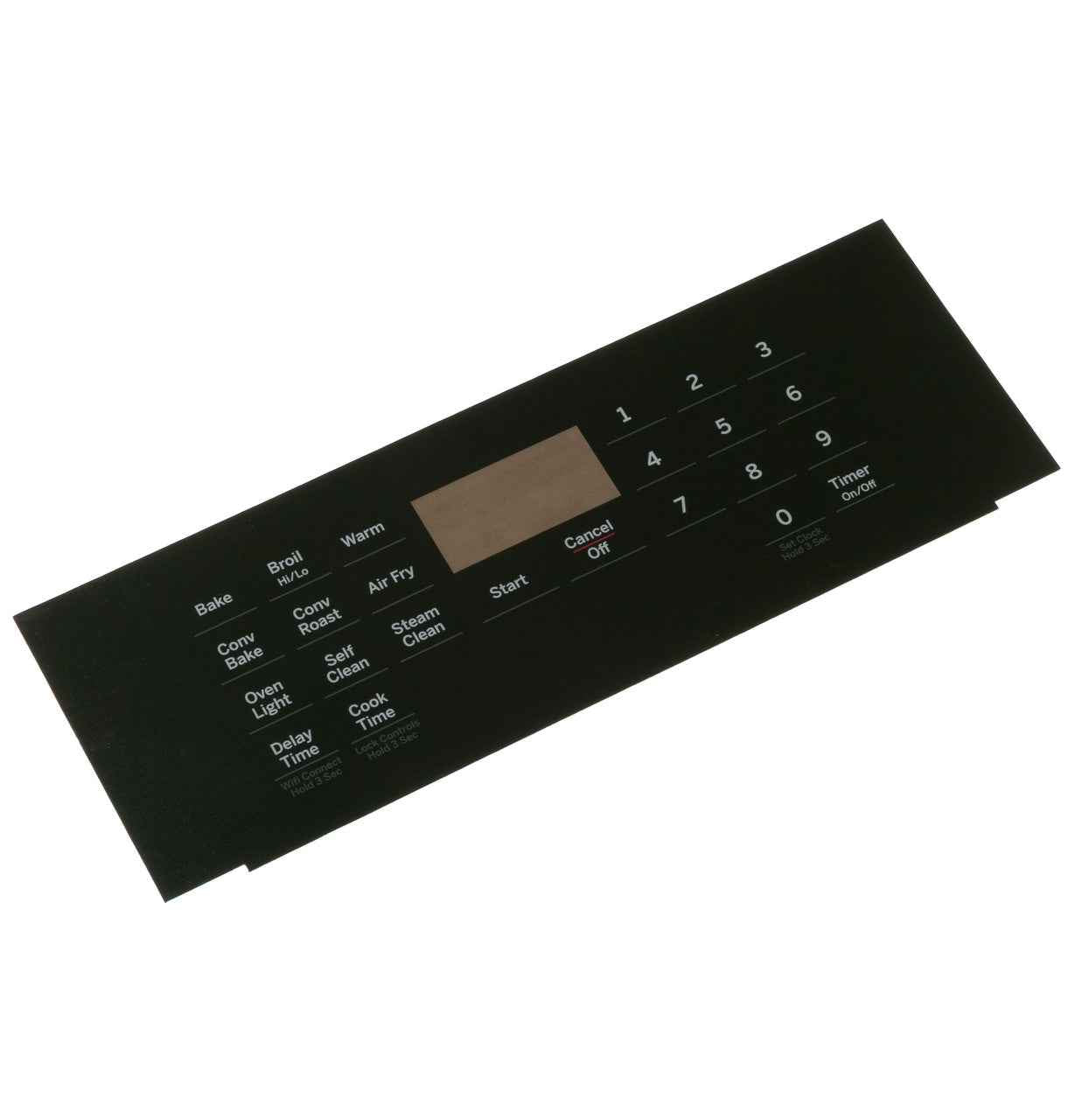
WS01F10147 Range Overlay RC19

GE Range Control Panel Overlay WS01F10147, Replaces 295D4248P005

Price
$29.98

Frequently Bought Together

Confirm This Fits Your Model
Not sure where to find your model number? See guide →
Faded or Damaged Control Panel Labels

GE Range Control Panel Overlay WS01F10147, Replaces 295D4248P005, Fixes Illegible or Worn Range Control Markings 🇺🇸 Matching U.S. Part Number: WS01F10147

OEM control panel overlay for GE ranges. Restores clear, legible control markings and the original factory appearance of your range’s control panel.

Part WS01F10147 RC19 Series Genuine OEM

The GE WS01F10147 Range Control Panel Overlay is designed to replace faded, cracked, or damaged control panel overlays on compatible GE ranges. Confirm fitment by the appliance model number before ordering — overlays are model-specific and may differ in knob cutout positions, label layout, and dimensions.

Is This the Right Part?

Part NumberWS01F10147
Replaces295D4248P005
ManufacturerGE Appliances
Appliance TypeRange / Oven

Confirm the complete model number before ordering. Control panel overlays are highly model-specific — knob positions, burner layout labels, and panel dimensions vary between series.

Common Symptoms

  • Control panel markings faded, worn, or completely illegible
  • Overlay cracked, peeling, or bubbling from heat exposure
  • Discolored or stained control panel surface affecting appearance
  • Damaged overlay causing difficulty identifying burner or oven settings

Check Before Replacing

  • Confirm the part number WS01F10147 matches your range’s parts diagram for the control panel overlay
  • Verify knob cutout count and positions match your existing panel layout
  • Check that the overlay dimensions match your panel — measure the existing overlay before ordering
  • Inspect the underlying control panel for cracks or damage that may also need replacement
Pro Tip: Heat and grease are the primary causes of overlay degradation. When installing the new overlay, ensure the panel surface is completely clean and dry — any residue or moisture under the overlay will cause premature lifting or bubbling.

Part Details

Part TypeRange Control Panel Overlay
Primary FunctionRestores legible control markings and panel appearance
Key FeatureOEM fit, RC19 series designation
ConditionNew OEM

Installation Notes

  1. Disconnect power to the range before beginning.
  2. Photograph the existing overlay and knob positions before removal.
  3. Carefully peel the old overlay — use a heat gun on low to soften adhesive if needed.
  4. Clean the panel surface thoroughly and allow to dry completely before applying the new overlay.
  5. Align the new overlay carefully before pressing down — repositioning after contact may damage the adhesive.

Use a qualified technician when diagnosis or installation is outside your experience.

✅ Cross Reference Information

295D4248P005

Verified Compatible Models

Compatible model list pending verification — confirm your full model number with XPart Supply before ordering.

Fitment reminder: Match the complete model number, including suffixes and revision digits, before ordering.

✅Compatibility & Cross Reference

295D4248P005

JCB820SK1SS, JCB830ST1SS, JCB840ST3SS

Not sure about your model number? Call 1-877-899-7278 and we’ll help you confirm. All brand names are the property of their respective owners and are used for compatibility reference only.

Buy Online Pick Up In-Store

Address
101 Trillium Dr
Kitchener, Ontario N2E 1W8
Hours
Mon–Fri 9 AM–5 PM • Sat 9 AM–1 PM

Get Directions