
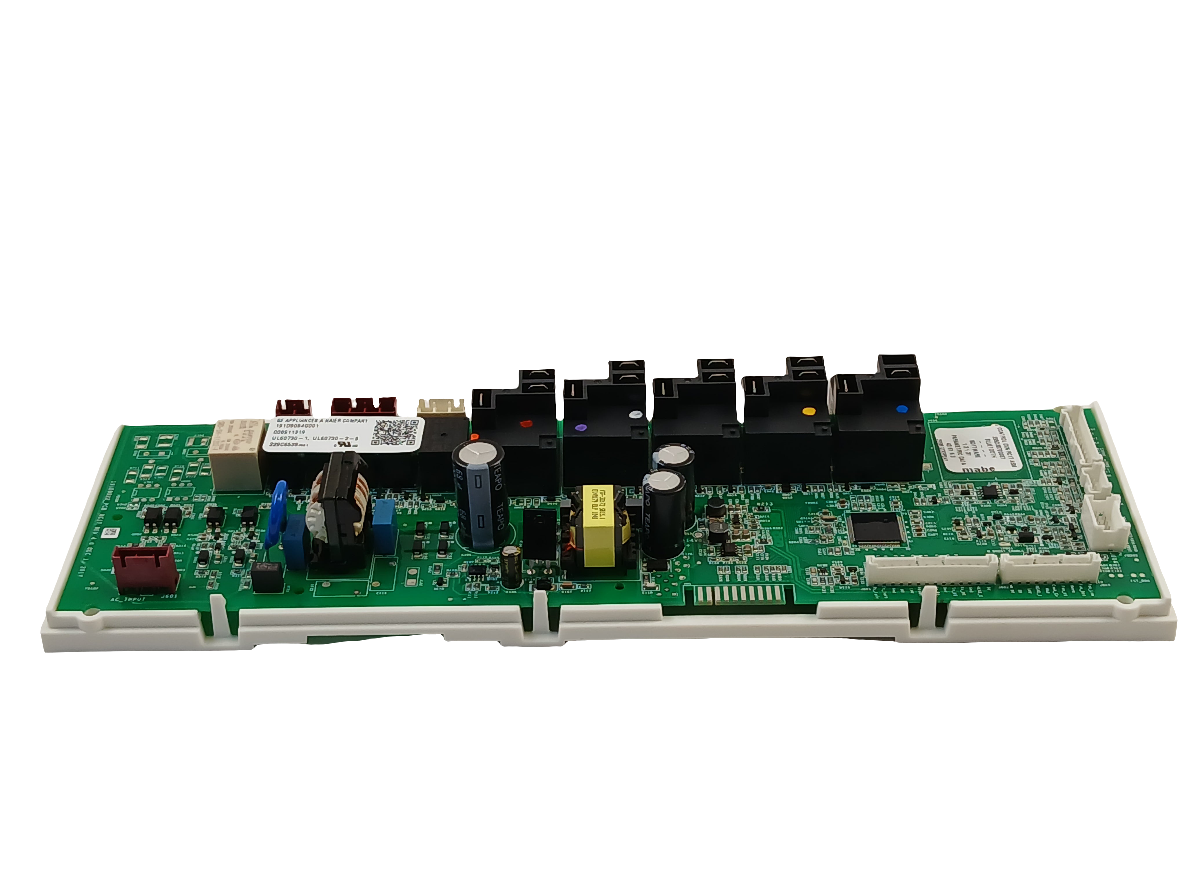
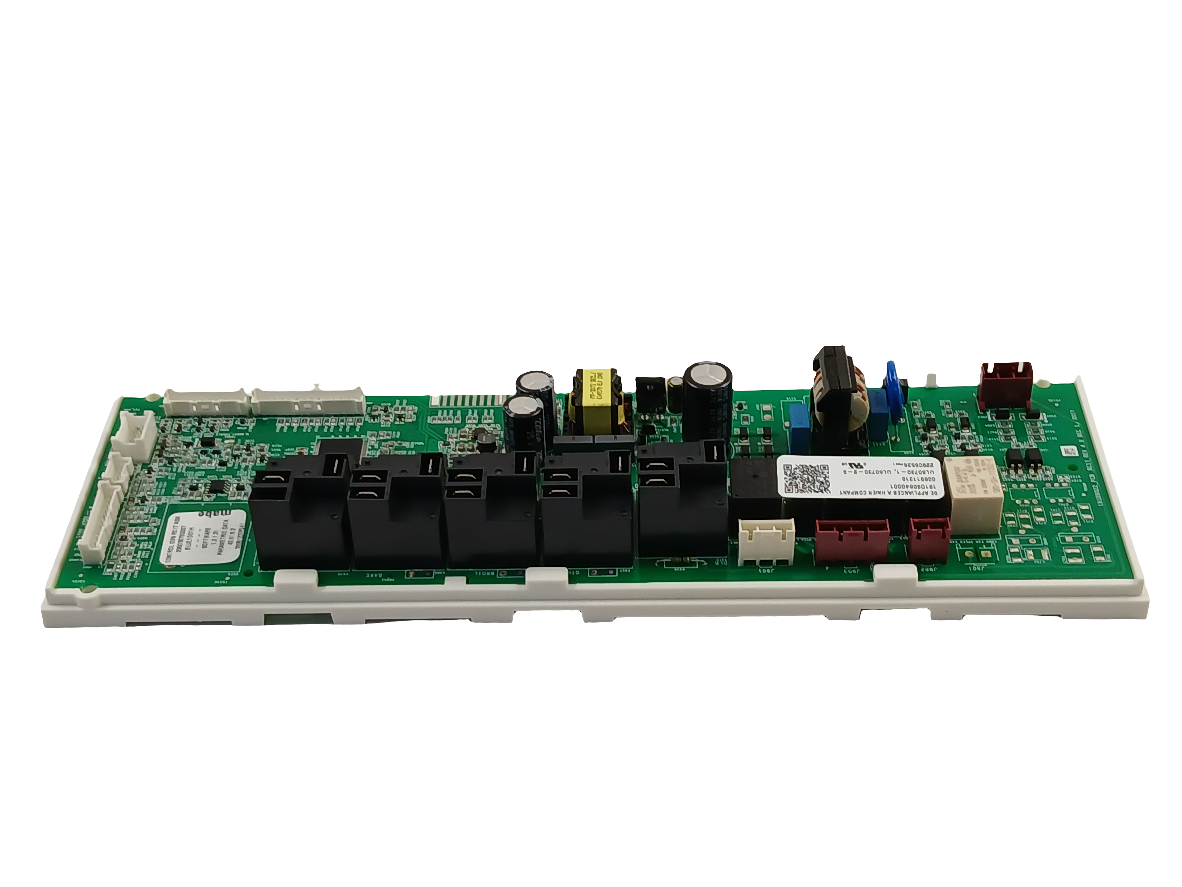
GE Range Oven Electronic Control Board WS01F10907 — Fix No Heat, Blank Display or Error Codes

GE Range Oven Electronic Control Board WS01F10907 — Fix No Heat, Blank Display or Error Codes

Price
$164.99
Buying Options: WS01F10907
Condition: OEM

Product variant with selected options does not exist!

Frequently Bought Together

Confirm This Fits Your Model
Not sure where to find your model number? See guide →
Genuine OEM Replacement Part

GE Range Oven Electronic Control Board WS01F10907

Part# WS01F10907 Replaces WS01F09044 Replaces 295D3070G007 Fits GE Fits PCS940 Series

GE Range Not Heating, Showing Error Codes or Blank Display? Control Board WS01F10907 — Fix Oven Failures Fast

When a GE PCS940 series slide-in range stops heating, displays error codes, shows a blank or frozen display, or becomes completely unresponsive, the electronic control board is the most common root cause. In most GE slide-in ranges, the control board is the central processor managing oven temperature, bake and broil element cycling, burner ignition, display output, timer functions, and all safety interlocks. When it fails — due to power surge damage, relay burnout, or capacitor failure — the range may lose one or all functions simultaneously. ⚡ Common failure point in GE PCS940 series slide-in ranges. Part WS01F10907 is the current genuine OEM replacement that restores full electronic control with a direct plug-in harness installation, superseding WS01F09044, 295D3070G007, 295D3070G068, and 191D9084G001.

❓ Is This the Right Part?

This is the correct fix if ALL of the following are true:

  • ✔ Your GE PCS940 series range powers on but oven won’t heat, display is blank or frozen, or error codes appear
  • ✔ The bake and broil elements have been tested with a multimeter and read 15–50 ohms (open circuit = element failure, not board)
  • ✔ Power supply to the range is confirmed stable — no tripped breakers or voltage issues
  • ✔ ONLY problem is control failure — not a mechanical element or igniter failure

Not sure? Send us your model number — we’ll confirm before you order.

🔧 Common Symptoms

  • Oven not heating on bake or broil despite elements testing good
  • Range display blank, frozen, or showing garbled characters
  • Error or fault codes on the display that won’t clear
  • Oven temperature inaccurate or completely uncontrolled
  • Range controls unresponsive — buttons or touchpad not working
  • Oven shuts off unexpectedly mid-cycle

✔ If these symptoms match, this is the most likely failed component in the system.

✔ In most cases, replacing this control board restores full range operation immediately.

📦 Part Details

  • Part Number: WS01F10907 (current OEM) | WS01F09044 (previous OEM — also available)
  • Type: Electronic Oven Control Board Assembly — main processor for all range functions
  • Replaces: WS01F09044, 295D3070G007, 295D3070G068, 191D9084G001 — no modification required
  • Brands: GE, General Electric, Profile
  • Note: WS01F10907 and WS01F09044 are both compatible with the same PCS940 series models. WS01F10907 is the current factory revision.
⚠️ Recommended While Repairing:
Before installing the new control board, test both the bake and broil elements with a multimeter. A shorted element can send a voltage spike back through the board and damage the new unit immediately after installation. Confirming element integrity before powering up protects your investment and ensures the repair holds long-term.

⚙️ Installation

Skill Level: Moderate — 30 to 60 minutes. Disconnect power at the home breaker before beginning — control boards are sensitive to static discharge, handle by the edges only. The control board is located behind the rear control panel of the range. Remove the rear panel screws, photograph all wiring harness connector positions before disconnecting, swap the board, and reconnect all harnesses in the original positions. Restore power and test all oven functions; if error codes appear after installation, disconnect power for 60 seconds to perform a factory reset before powering back on.

✓ Compatible Models

Confirmed compatible with PCS940BM1TS, PCS940BM2TS, PCS940BM3TS, PCS940BM4TS, PCS940BM5TS, PCS940DM1WW, PCS940DM2WW, PCS940DM3WW, PCS940DM4WW, PCS940DM5WW, PCS940EM1ES, PCS940EM2ES, PCS940EM3ES, PCS940EM4ES, PCS940EM5ES, PCS940FM1DS, PCS940FM2DS, PCS940FM3DS, PCS940SM1SS, PCS940SM2SS, PCS940SM3SS, PCS940SM4SS, PCS940SM5SS, PCS940YM1FS. Contact us to verify your model number before ordering.

💡 Pro Tip

Photograph Every Connector Before You Disconnect Anything:
The GE PCS940 control board has multiple wiring harness connectors of similar size and colour. Incorrect reconnection is the most common cause of a failed board replacement — a single misrouted connector can prevent the oven from heating, cause new error codes, or damage the new board. Take a clear photo of the full connector layout before removing the first plug. If the range still shows errors after installation, compare your reconnection against the photo before assuming the board is faulty.

✓ Model-Specific Repair Pages

✅Compatibility & Cross Reference

Part number WS01F10907 replaces WS01F09044, 295D3070G007, 295D3070G068, 191D9084G001

PCS940BM1TS, PCS940BM2TS, PCS940BM3TS, PCS940BM4TS, PCS940BM5TS, PCS940DM1WW, PCS940DM2WW, PCS940DM3WW, PCS940DM4WW, PCS940DM5WW, PCS940EM1ES, PCS940EM2ES, PCS940EM3ES, PCS940EM4ES, PCS940EM5ES, PCS940FM1DS, PCS940FM2DS, PCS940FM3DS, PCS940SM1SS, PCS940SM2SS, PCS940SM3SS, PCS940SM4SS, PCS940SM5SS, PCS940YM1FS

Not sure about your model number? Call 1-877-899-7278 and we’ll help you confirm. All brand names are the property of their respective owners and are used for compatibility reference only.

Buy Online Pick Up In-Store

Address
101 Trillium Dr
Kitchener, Ontario N2E 1W8
Hours
Mon–Fri 9 AM–5 PM • Sat 9 AM–1 PM

Get Directions