



WASHER WON’T POWER ON
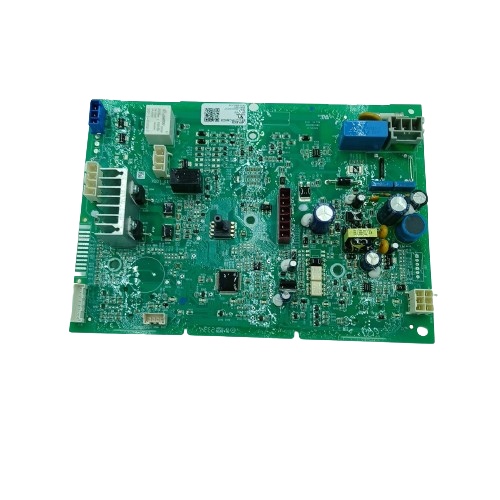
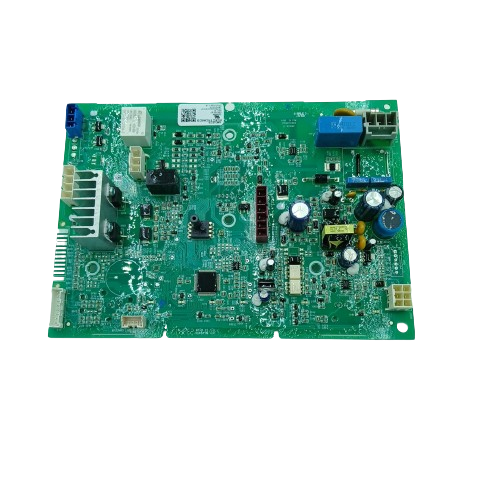
GE Washer control board WW01F02068, Fixes Washer won’t power on
GE washer electronic control-board service part. An official wiring document identifies WW01F02068 as the service part number paired with engineering part number 233D2319G107 for MTW201, GTW223, and GTW331 washer models.
Part WW01F02068GE
Guaranteed to Fit — or your money back.
Confirm your full appliance model number before ordering.
Confirm your full appliance model number before ordering.
Is This the Right Part?
Part NumberWW01F02068
ManufacturerGE
Appliance TypeWasher
Part TypeWasher control board
✅ Cross Reference Information
233D2319G107
Common Symptoms
- Washer won’t power on
- Cycles won’t start, complete, or advance
- Error codes (e.g., E43, E23, E51)
- Dead display or unresponsive controls
- Water fills but washer won’t agitate/spin
- Random beeping or flashing lights
Pro Tip
Check for blown fuses or tripped breakers before replacing the board.
Part Details
Part NumberWW01F02068
Part TypeWasher control board
ManufacturerGE
Appliance TypeWasher
Installation Notes
- CRITICAL SAFETY WARNING:
- Unplug washer before servicing. Use anti-static wrist strap if available.
- Unplug washer
- from the outlet.
- Remove control panel screws
- (typically at rear or under end caps).
- Gently lift and tilt control panel
- to access the control board.
- Take photos of all wire connections
- for reference.
- Disconnect all wire harnesses and ribbon cables
- from the old board.
- Remove mounting screws or tabs
- holding the control board.
- Carefully remove the old board
- (avoid flexing/touching components).
- Install the new board
- in the same orientation.
- Reconnect all harnesses and cables
- using your photos as a guide.
- Secure board with screws/tabs.
- Reinstall control panel
- and fasteners.
- Plug in washer
- and test all cycles and functions.
- Safety Notes:
- Handle PCB by the edges. If errors persist after install, unplug for 5 minutes to reset.
Verified Compatible Models
MTW201BMR0WW, MTW201BMRWW, GTW223BMR0WW, GTW223BMRWW, GTW331BMR0WS, GTW331BMRWS
Fitment reminder: Match the complete appliance model number, including suffix or revision where applicable, before ordering.
Buy Online Pick Up In-Store
Address
101 Trillium Dr
Kitchener, Ontario N2E 1W8
Kitchener, Ontario N2E 1W8
Phone
Hours
Mon–Fri 9 AM–5 PM • Sat 9 AM–1 PM
