
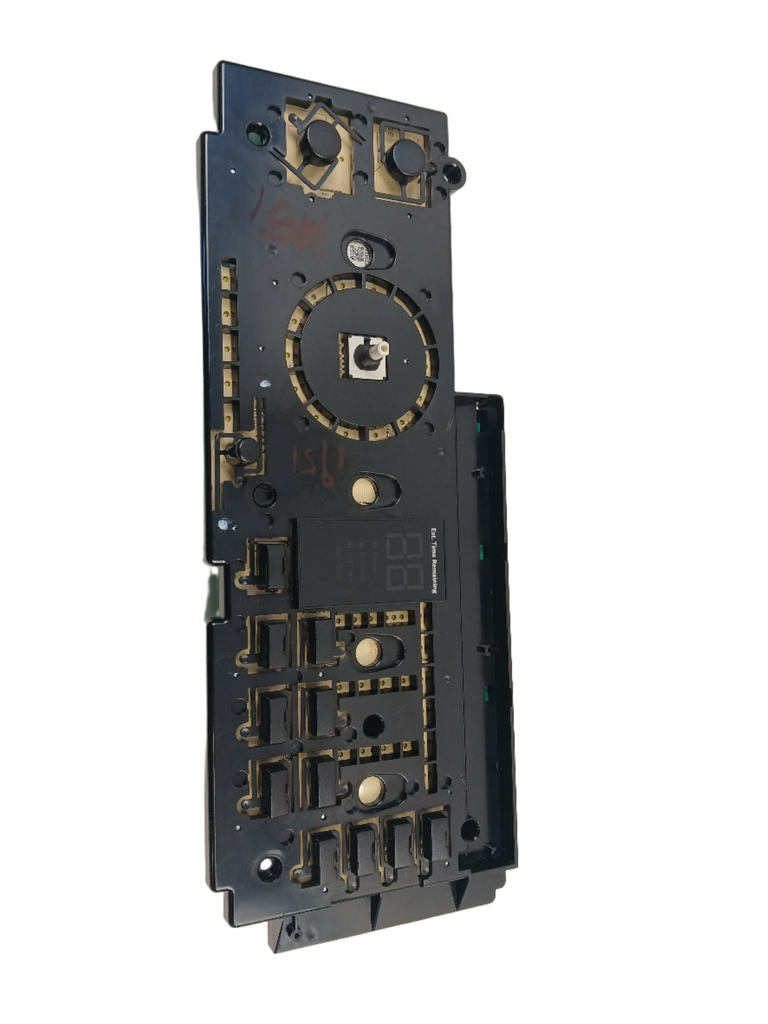
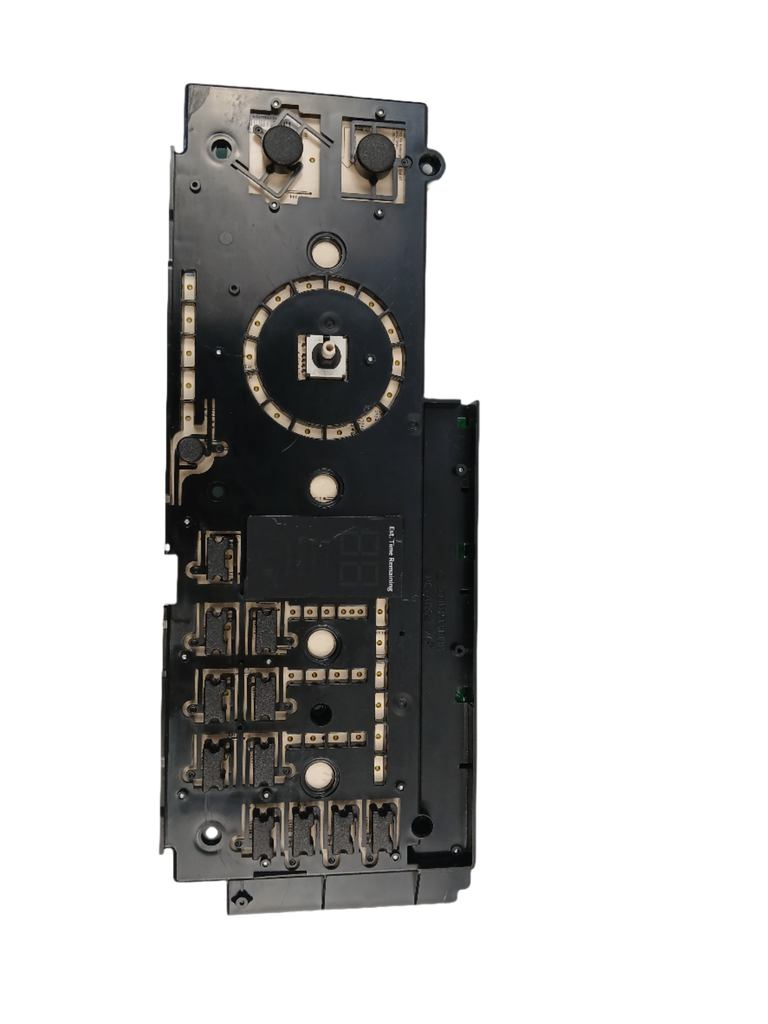
GE Washer User Interface Board Assembly WW01F01951 – Fix Unresponsive Buttons, Blank Display, or Stuck Error Codes | OEM

GE Washer User Interface Board Assembly WW01F01951 – Fix Unresponsive Buttons, Blank Display, or Stuck Error Codes | OEM

Sale price
$256.60
Regular price
$296.30

XPart Verified Replacement  |  SKU 9771710447905

Buying Options: WW01F01951

Product variant with selected options does not exist!

Frequently Bought Together

Genuine OEM Replacement Part

GE Washer Buttons Dead, Display Blank, or Error Code Won't Clear? The User Interface Board Has Failed.

Part# WW01F01951 X-Ref: WW01F01731 · 233D2322G004 · 233D2320G003 · S201130A08263 GE · Hotpoint

Is This the Part You Need?

The user interface board is the electronic assembly behind your washer’s control panel — it contains the display, touchpad circuitry, LED indicators, and the microprocessor that translates every button press into a command. When it fails due to moisture infiltration, a power surge, or component burnout, you lose the ability to communicate with the washer entirely. The display goes blank, buttons stop responding, or error codes lock onto the screen and won’t clear. If the washer has power (you can hear the door lock click or a faint hum) but the control panel is dead or erratic, the WW01F01951 is the factory-specified fix. Also available as WW01F01731 — select your variant above.

✓ Symptoms This Fixes

  • Control panel buttons completely unresponsive — pressing buttons does nothing
  • Display screen blank — no numbers, no text, no indicators
  • Display flickering or flashing intermittently
  • Display shows garbled or scrambled characters
  • Some buttons work but others don’t respond
  • Buttons require excessive force or multiple presses to register
  • Indicator lights won’t illuminate or are stuck on
  • Error code stuck on display — won’t clear after reset
  • Washer appears dead from the control panel but has power to the outlet
  • Start button won’t work — no response when pressed
  • Random beeping from the control panel area
  • Washer starts on its own — phantom button presses (short circuit on UI board)
  • Control panel got wet and stopped working

✓ Part Details

  • OEM Part Numbers: WW01F01951 (current) / WW01F01731 (superseded — select above)
  • Cross-References: WW01F01731, 233D2322G004, 233D2320G003, S201130A08263
  • Brand: GE OEM
  • Component: Washer user interface board assembly (UI board / control panel board / display board)
  • Item Position: Item #69 in parts diagram
  • Compatible Brands: GE, Hotpoint
  • Appliance Type: Top-load washer
  • Genuine OEM: Yes — factory-specified replacement

✓ Installation Notes

  • Skill Level: Intermediate — requires console disassembly and ribbon cable handling
  • Estimated Time: 20–30 minutes (professional) / 30–45 minutes (DIY)
  • Key Steps: Disconnect power → Remove console cover screws (top rear edge or rear panel, model-dependent) → Photograph all ribbon cable and harness connections before disconnecting → Release ribbon cable locking tabs and gently slide cables out → Disconnect wire harness connectors → Remove board mounting screws or release clips → Separate board from fascia (reuse fascia unless new one is included) → Seat new board, align touchpad contacts with button positions → Reconnect all ribbon cables (lock tabs fully) and harness connectors → Reassemble console → Restore power and test all buttons and a full cycle
  • Safety: Always disconnect power before opening the console. Ribbon cables are fragile — never force them. A loose ribbon cable is the #1 cause of a new board appearing dead after installation. Count and photograph every connector before removal and verify each one is fully seated before reassembly.

✓ Compatible Models

GE: GTW680BMK0DG, GTW680BMK0WS, GTW680BMM0DG, GTW680BMM0WS, GTW680BMM1DG, GTW680BMM1WS, GXCH20011AD00

Contact us with your full model number to confirm compatibility before ordering.

Pro Tip — Try a Hard Reset and Reseat the Ribbon Cable Before Ordering:
About 15–20% of apparent UI board failures are actually loose ribbon cable connections — vibration from years of spin cycles gradually works connectors loose. Before ordering a new board, unplug the washer for 5 full minutes (this clears the microprocessor), then open the console and firmly reseat every ribbon cable and harness connector. If the display comes back, you’ve saved the cost of a board. If the problem recurs within a few cycles, the board is failing intermittently and replacement is confirmed. Also note: if the display is completely blank but you can hear the door lock click when you close the door, the main control board is alive — the UI board is the fault. If there is absolutely no sign of life (no sounds, no clicks, nothing), check the main control board before ordering the UI board.
WW01F01951 – GE Washer Parts Diagram

✓ Model-Specific Repair Pages

✅Compatibility & Cross Reference

Item #69 in diagram.

Part number WW01F01951 replaces 233D2322G004, 233D2320G003, S201130A08263, WW01F01731

GTW680BMK0DG, GTW680BMK0WS, GTW680BMM0WS, GTW680BMM0DG, GXCH20011AD00, GTW680BMM0WS, GTW680BMM0DG, GTW680BMM1WS, GTW680BMM1DG 

Why is my GE washer control panel completely blank and unresponsive?

A blank, unresponsive control panel on a GE front-load washer is usually caused by one of these issues:

1. No power to the washer
Before blaming the control panel, verify the washer is getting power. Plug a phone charger or lamp into the same outlet — if it doesn't work, the outlet is the problem (tripped breaker, tripped GFCI, or blown fuse). Check your electrical panel and reset the breaker for the washer circuit.

2. Failed user interface (UI) board (most common)
If the outlet has power and the washer is plugged in but the display is completely blank and no buttons respond, the UI board has likely failed. The UI board contains the display circuitry and button electronics — when its power supply circuit or display driver burns out, the panel goes dark. You may still hear subtle signs of life from the washer (a faint hum, the door lock clicking when you close the door) — this means the main control board is alive but the UI board isn't displaying anything. Replacing the UI board (WW01F01951) resolves this.

3. Loose ribbon cable or wire harness
The UI board connects to the main control board through a ribbon cable or wire harness. If this connection loosens — from vibration over time or during a move — the UI board loses communication and the display goes blank. Before ordering a new board, try unplugging the washer for 5 minutes, opening the console, and firmly reseating all ribbon cables and connectors. This simple fix resolves the problem in about 15–20% of cases.

4. Failed main control board
The UI board receives its power from the main control board. If the main board's power supply has failed, nothing in the washer works — no display, no sounds, no door lock, nothing at all. If you hear absolutely zero signs of life (no hum, no clicks, no response whatsoever), the main control board may be the root cause rather than the UI board.

How to narrow it down:

  • Blank display + door lock still clicks + faint hum → UI board (this part)
  • Blank display + absolutely nothing — completely dead → Check power supply first, then main control board
  • Display flickers or works intermittently → UI board (this part)
  • Display works but washer won't execute cycles → Main control board

WW01F01951, GE washer UI board, washer user interface board, GE washer display board, WW01F01731, 233D2322G004, washer buttons not working, washer display blank, washer control panel not responding, GE front load washer control board, washer touchpad not working, washer display flickering, GE washer error code, washer console board, washer panel board, washer won't start no display, GE washer repair, washer interface board replacement, Hotpoint washer UI board, washer control panel replacement

GE (General Electric)

Not sure about your model number? Call 1-877-899-7278 and we’ll help you confirm. All brand names are the property of their respective owners and are used for compatibility reference only.

Buy Online Pick Up In-Store

Address
101 Trillium Dr
Kitchener, Ontario N2E 1W8
Hours
Mon–Fri 9 AM–5 PM • Sat 9 AM–1 PM
Get Directions
